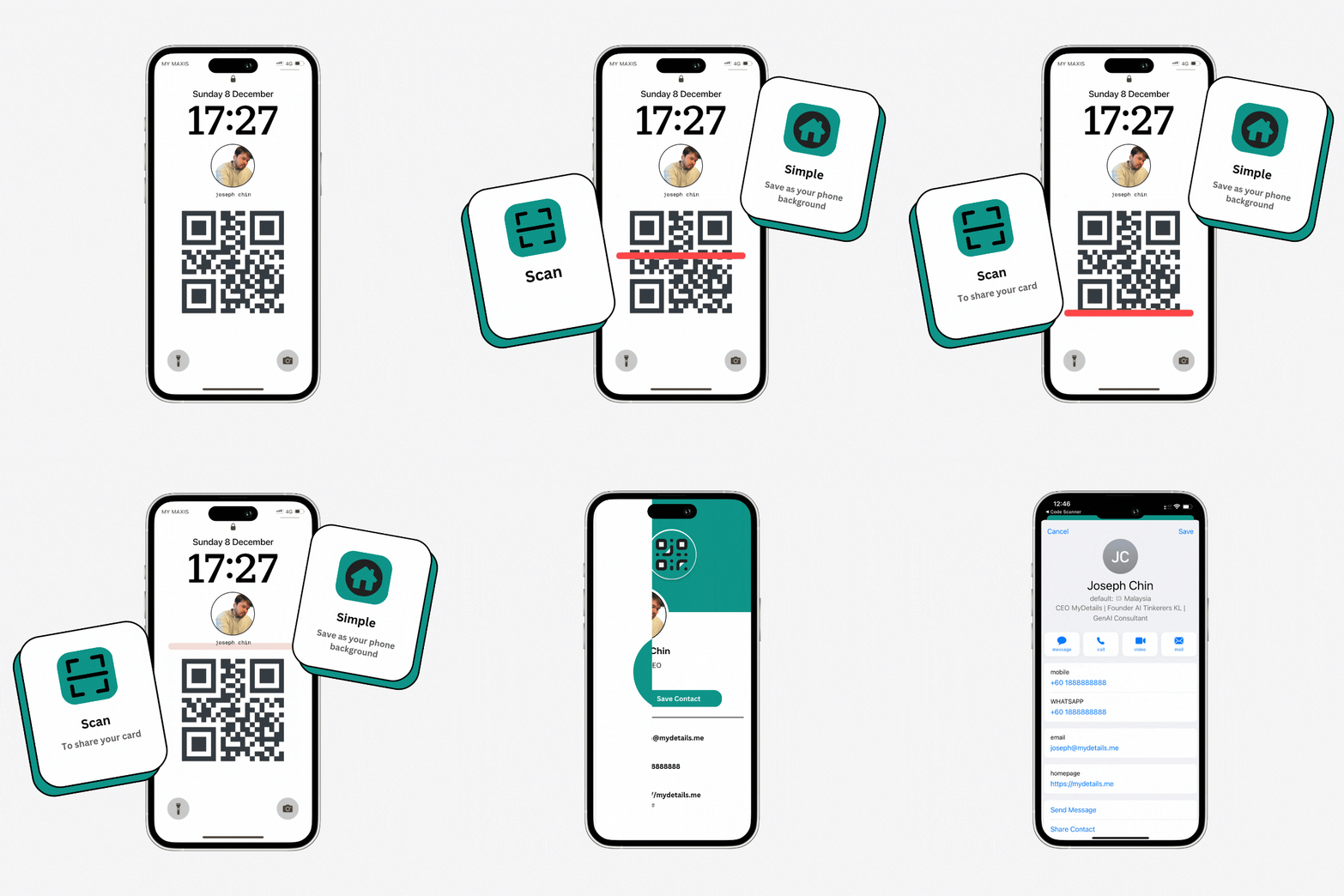
Your professional details
Add your name, role, company, phone, email, WhatsApp, website, and address.
MyDetails gives you a browser-based business card that people can open and save without installing an app or creating an account.
Add your details before signup, then keep the same card current as your information changes.
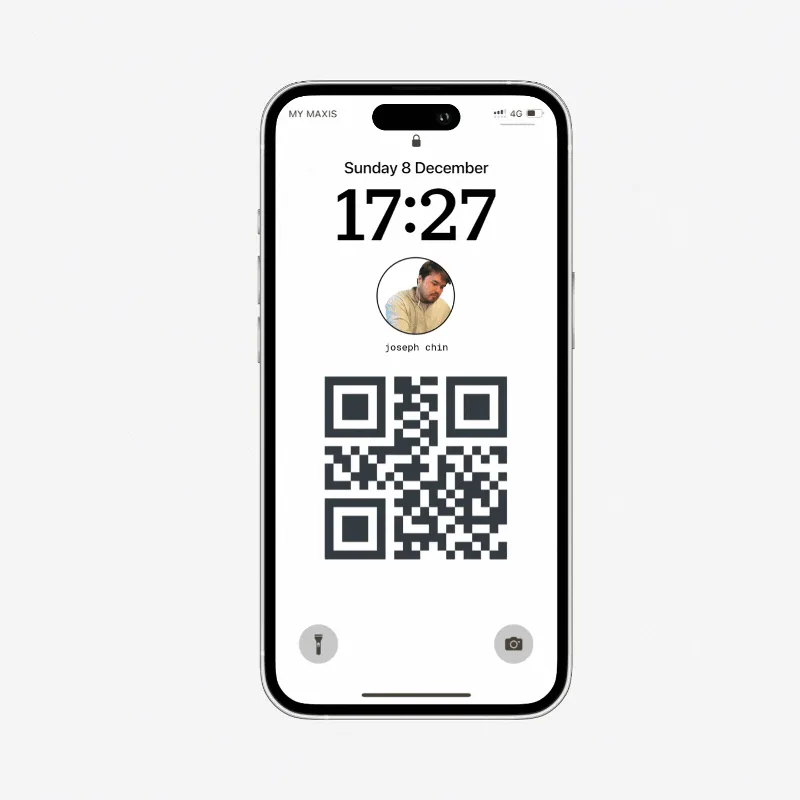
The whole exchange stays in the browser, so the person you meet can keep talking instead of setting up another account.
Add the details you want to share.
Show your QR code or send the public link.
The recipient saves your contact details.
Make the card yours
Build a card around the professional identity and contact information you want people to keep.
Add your name, role, company, phone, email, WhatsApp, website, and address.
Choose a theme colour and add a profile photo or company logo.
Keep a card public while you share it, or make it private when you do not.
More than one way to share
Put a QR code in front of someone, send the same card as a link, or let them save your details directly.
Copy your card link or use your phone's share menu.
Show or download a QR code that opens your card.
Recipients can download your current details as a vCard.
Turn your card link into a phone background. Choose a device size, adjust the text, colours, photo, and QR placement, then download the finished image.