How do I use a digital business card at a networking event?
Create your MyDetails card before the event, then show its QR code when someone asks for your details. They can scan it with their phone camera, open your public card, and save the contact.
Digital business card for events
Create your card before the event. When someone asks for your details, show the QR code and let them save your contact from their browser.
The person scanning does not need an app or account.
Ready before the introduction
Your QR card is one gesture away.
Before the badge goes on
Add the details you want to share, make the card public, and choose how you will show its QR code when a conversation starts.
Add your name, role, company, and the contact details you want people to receive.
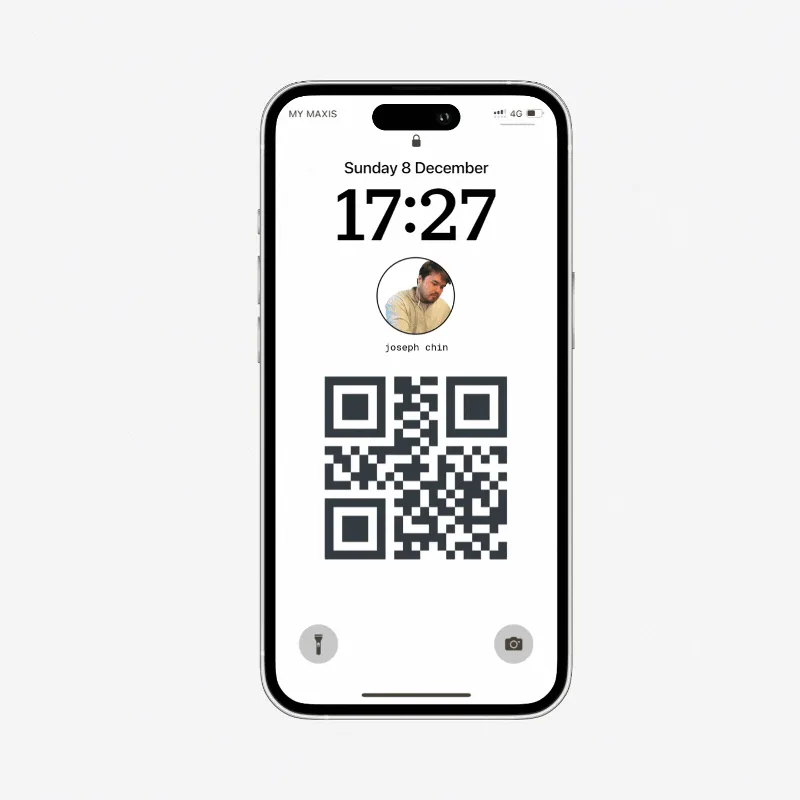
Open the card-link QR code, download it, or put it on a phone background.
Open your card once before the event and confirm the shared details are current.
During the conversation
No spelling out an email address. No typing a phone number. The recipient scans, opens, and saves what you chose to share.
Try the live card demoOpen your card QR code when someone asks for your details.
They point their phone camera at the code and open your public card.
They choose Save Contact, then you both get back to the conversation.
If your role, phone number, or company details change, edit the card. Anyone returning to the public link sees the information currently on it.
Keep one public card link
Choose which details appear
Switch the card between public and private
Use the same card-link QR code
Related guides
Move from one sharing moment to the next without changing your public card link.
Turn your public card link into a QR code people can open and save.
Keep your card ready to scan on a phone background sized for your device.
Give attendees printable signs, a card-creation prompt, and a shareable invitation.
Choose the contact details people need, the optional extras that help, and what to leave out.
Learn how contact files work, what they contain, and how to open one safely.
Choose your details, build for a phone, add a QR code, and test the contact-save path.
Create your MyDetails card before the event, then show its QR code when someone asks for your details. They can scan it with their phone camera, open your public card, and save the contact.
No. Your public card opens in their browser, and they can save the contact without installing an app or creating a MyDetails account.
Yes. Edit your card later and the same public link shows the current information. Your existing card-link QR code continues to point to that card.