Do people need an app to scan my QR business card?
No. A recipient can scan the QR code with their phone camera, open your card in a browser, and save your contact details without a MyDetails account.
QR code business card
Create a browser-based business card, show its QR code, and let people open your current details without an app or MyDetails account.
Recipients open and save your details from their browser.

Joseph Chin
Founder, MyDetails
joseph@mydetails.me
Kuala Lumpur, Malaysia
From card to conversation
Add the professional and contact details you want people to receive.
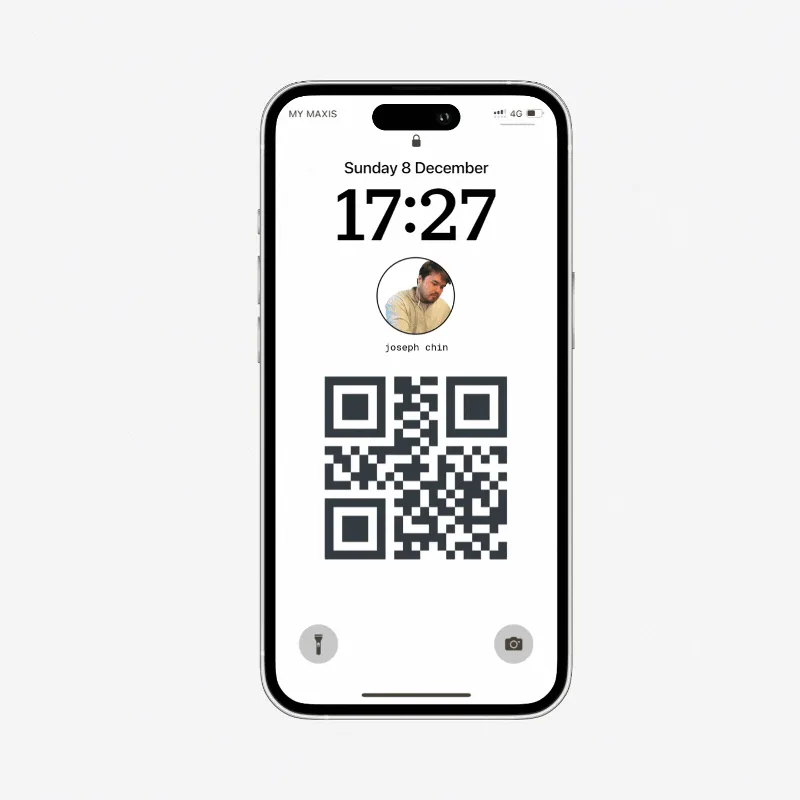
Open your sharing tools and use the QR code that points to your public card.
The recipient opens your card in a browser and saves your details as a contact.
Your card can carry your contact details, role, company, images, and selected links. You control whether it is public.
Open the live card demoA scan opens your public card without making the recipient install an app.
The recipient can download your current details as a vCard from the card.
Edit your card later and the same public link shows the updated information.
Related guides
Move from one sharing moment to the next without changing your public card link.
Prepare your card before the room gets busy, then share it in one quick scan.
Keep your card ready to scan on a phone background sized for your device.
Give attendees printable signs, a card-creation prompt, and a shareable invitation.
Choose the contact details people need, the optional extras that help, and what to leave out.
Learn how contact files work, what they contain, and how to open one safely.
Choose your details, build for a phone, add a QR code, and test the contact-save path.
Straight answers
Need something else? The official MyDetails FAQ covers accounts, cards, privacy controls, and sign-in.
Visit the official FAQNo. A recipient can scan the QR code with their phone camera, open your card in a browser, and save your contact details without a MyDetails account.
Yes. MyDetails lets you download a QR image that links to your public card, so you can keep it on your phone or add it to material you already use.
Your QR code points to the same public card link. When you edit the card, people who return to that link see the current information.